
Bot GUI Menu
Epic Farmer BotBot's Menu:
To open the Epic Farmer Bot's GUI menu all you have to do is right-click on the observer once its placed on the ground.
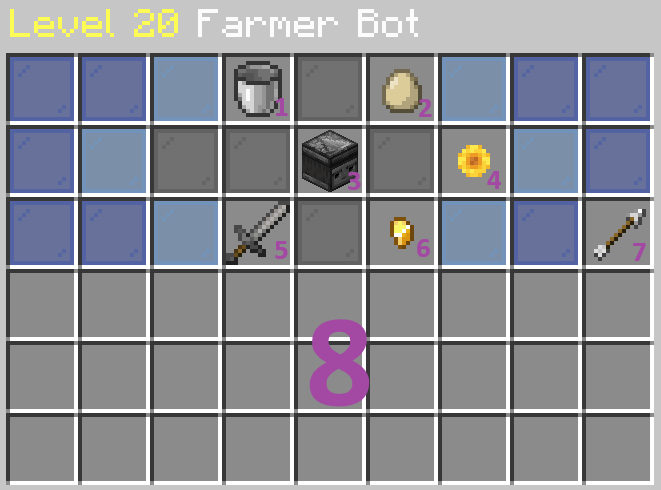
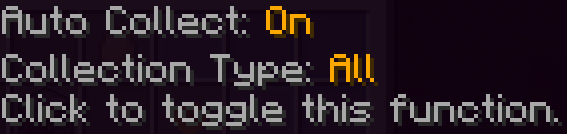
1 - Collecting Modes
Auto Collect: On / Off (left-click to change)
Collection Type: All / No Seeds (right-click to change)
2 - Auto Breeding
Auto Breeding: On / Off (left-click to change)

3 - Epic Farmer Bot Stats
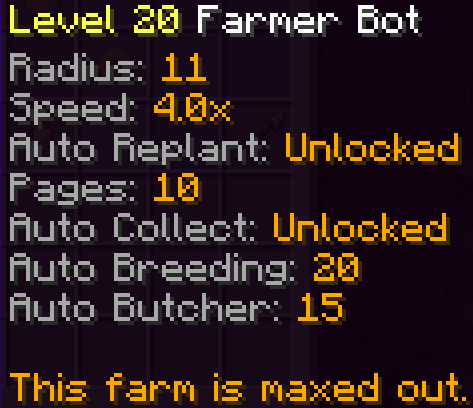
4 - Upgrade Epic Farmer Bot

5 - Auto Butcher
Auto Butcher: On / Off (left-click to change)

6 - Farming Type
Farm Type: Both / Crops / Live Stock (left-click to change)
